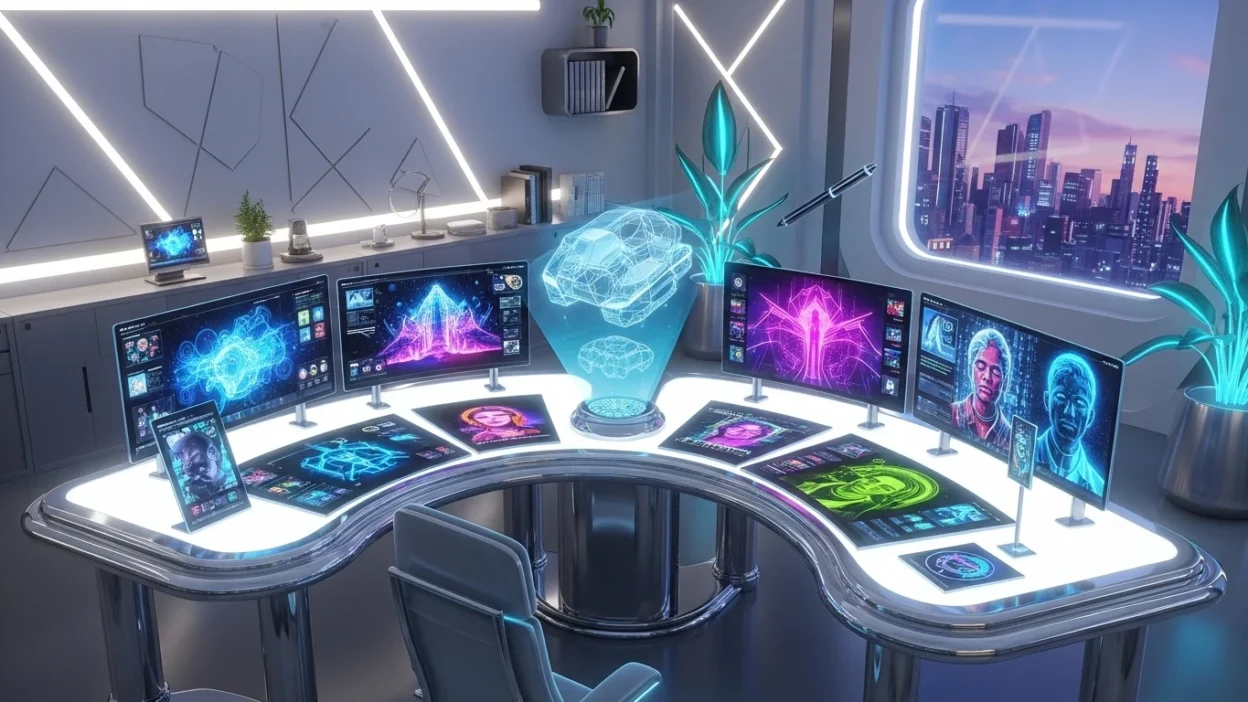
Artificial intelligence has transformed the way we produce visual content. Tasks that once required hours of sketching, painting, or editing can now be completed in minutes with AI-powered tools. Whether you’re a designer, marketer, student, or hobbyist, understanding how AI create an image and applying the right tools can boost your creativity and productivity.
This guide will cover everything from the basics of AI image generation to practical steps, best tools, real-world applications, challenges, and tips for producing high-quality AI-generated pictures.
What Does AI Image Generation Mean?
AI image generation is the process of using artificial intelligence to create images from textual descriptions, sketches, or reference visuals. The technology interprets your instructions and produces images ranging from realistic photos to artistic illustrations.
Key technologies behind AI image creation include:
- Generative AI – models trained to produce new images based on examples.
- Deep learning – neural networks that learn visual patterns from large datasets.
- Text-to-image AI – systems that convert written prompts into visuals.
This combination allows AI to create versatile visuals for social media, concept art, marketing, and more.
“AI image creation is not just automation—it’s a creative partnership between humans and machines.”
How AI Create Images
AI image creation involves a multi-step process:
- Input Prompt – You provide a detailed description of the image you want.
- AI Interpretation – The model analyzes the prompt and identifies visual patterns.
- Image Generation – The AI produces an initial image.
- Refinement – The AI adjusts details for coherence and style.
- Final Output – You get a ready-to-use image.
Popular AI tools that perform these tasks include Stable Diffusion, DALL·E, MidJourney, and GANs (Generative Adversarial Networks). Each offers unique strengths in style, realism, and customizability.
Top AI Image Generators
Here’s a comparison of the leading AI image generators:
| Tool | Best For | Strengths | Free Option |
|---|---|---|---|
| DALL·E 3 | Realistic images | Detailed output, creative prompts | Limited free credits |
| MidJourney | Artistic visuals | Rich styles, stylized art | Subscription only |
| Stable Diffusion | Customizable AI art | Open-source flexibility | Yes |
| Craiyon | Quick sketches | Fast, easy | Yes |
| Bing Image Creator | Simple text-to-image | Integrated with search | Free |
These tools allow you to produce everything from photorealistic visuals to abstract or fantasy artwork.
Types of AI-Generated Images
AI-generated images can be grouped into several categories:
Realistic Photos
- AI photo generators create visuals that mimic real-life photography.
- Use cases: product mockups, marketing visuals, stock images.
Digital Art & Paintings
- AI painting generators and artistic tools produce creative, imaginative art.
- Use cases: concept art, digital illustrations, fantasy landscapes.
Sketches and Line Art
- AI sketch generators produce drafts or minimalist outlines.
- Use cases: storyboards, character design, quick ideation.
How to Use AI to Create Images
Generating images with AI is easier than it sounds. Follow these steps:
Choose the Right Tool
- Realistic images → DALL·E 3, Bing Image Creator
- Artistic visuals → MidJourney
- Custom or experimental images → Stable Diffusion
Write a Descriptive Prompt
A good prompt is key. Include:
- Subject description
- Style or medium (watercolor, cyberpunk, oil painting)
- Lighting, color, mood, or perspective
Example Prompt:A dreamy watercolor painting of a futuristic city at twilight, vibrant colors, soft lighting, surreal atmosphere
Adjust Settings
Modify:
- Aspect ratio
- Style intensity
- Number of variations
Generate and Refine
- Iteratively refine prompts for better results.
- Combine multiple outputs for the desired effect.
- Use upscaling or enhancement tools if necessary.
Download and Use
- Export your image for social media, presentations, websites, or personal projects.
Real-World Applications of AI Image Creation
AI image generators have practical applications across industries:
- Marketing & Social Media – eye-catching visuals for posts, ads, thumbnails.
- Graphic Design & Branding – logos, illustrations, brand visuals at lower costs.
- Gaming & Entertainment – concept art, environments, characters.
- Education & Research – visual explanations, diagrams, and illustrations.
Benefits of Using AI for Image Generation
Using AI to create images has multiple advantages:
- Speed: Generate visuals in seconds.
- Cost-Effective: No need for professional designers.
- Accessibility: Anyone can create high-quality visuals.
- Scalability: Produce multiple variations quickly.
- Creative Exploration: Experiment with styles and ideas that might be hard manually.
Challenges and Limitations
While powerful, AI image creation has some limitations:
- Can misinterpret vague prompts.
- May struggle with fine human details.
- Ethical concerns, including copyright of training data.
- Quality vs. human creativity: AI outputs often need refinement for professional use.
Tips for Better AI Image Results
- Use detailed prompts, including subjects, styles, and mood.
- Include visual references when possible.
- Choose the right AI tool for the desired style.
- Experiment and iterate multiple times.
- Combine AI output with manual edits for professional results.
Prompt Examples:
| Type | Example |
|---|---|
| Realistic | High-resolution photo of a sunset over a mountain lake, vivid colors, DSLR style |
| Artistic | Surreal acrylic painting of a floating castle, vibrant and dreamlike |
| Sketch | Black and white pencil sketch of a futuristic robot |
| Branding | Minimalist logo for a tech startup with abstract shapes |
Future of AI Image Generation
The future of AI image creation is exciting:
- Multimodal AI – combining text, audio, and images for richer outputs.
- VR/AR Integration – real-time AI-generated immersive environments.
- Collaborative Creativity – AI assists artists without replacing them.
- Industry-Specific Tools – AI models tailored for fashion, healthcare, architecture, and more.
AI is moving beyond digital art into immersive creative experiences.
Conclusion
AI create an image tools have transformed creativity. From generating realistic photos to creating imaginative digital art, AI empowers everyone to visualize ideas faster and more efficiently. While there are challenges, the technology continues to improve, offering endless possibilities for creators, designers, marketers, and educators. Start experimenting with AI image generators today and discover how your ideas can come to life in ways you never imagined.
Michael Davis writes inspiring and heartfelt messages for readers at wishesfuel.com, creating modern, uplifting wishes that make every celebration memorable and meaningful with his warm, creative voice and captivating style.