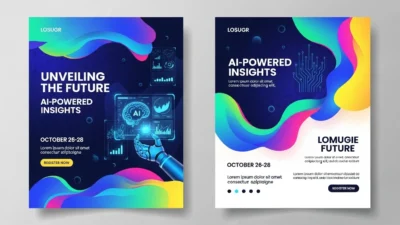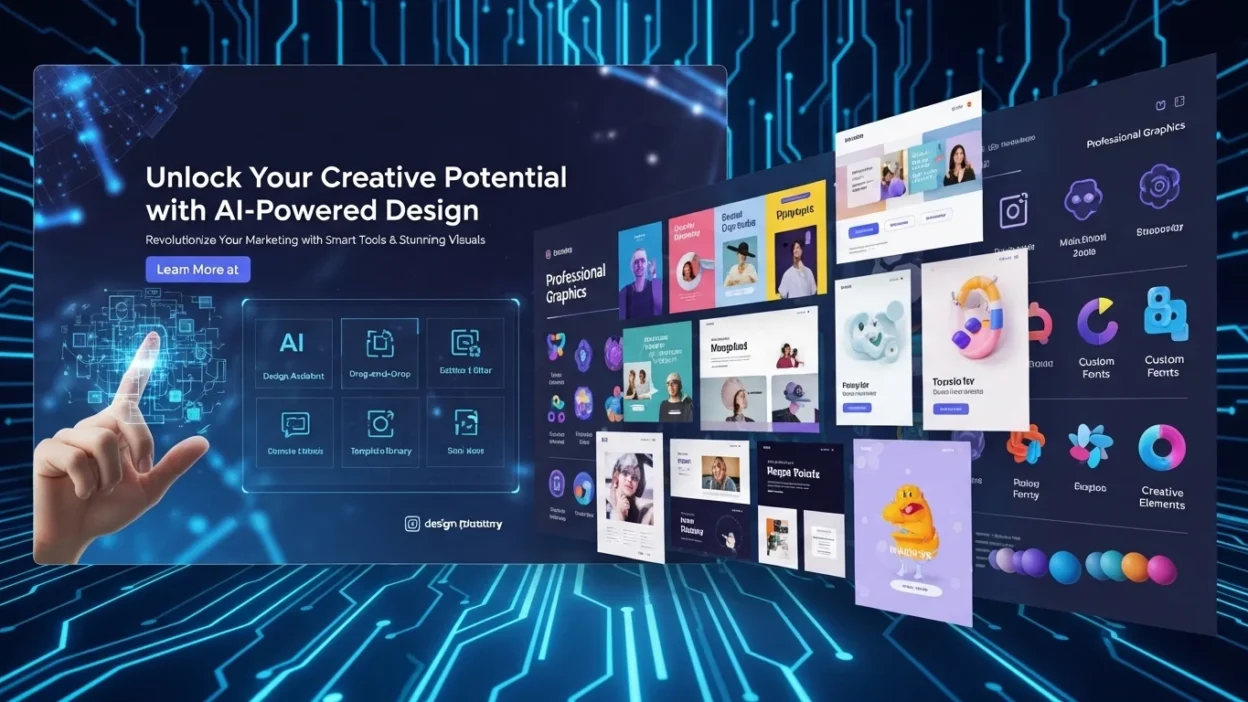
AI is revolutionizing how businesses and creators make promotional content. AI flyers allow you to generate professional marketing visuals quickly, even without design experience. From event promotions to advertising campaigns, AI tools make flyer creation smarter, faster, and more creative.
What Is an AI Flyer?
An AI flyer is a digital flyer created with the help of artificial intelligence. Unlike traditional flyers, which require manual design, AI flyers leverage machine learning, design algorithms, and automation to produce visually appealing layouts instantly.
AI flyer generators analyze thousands of design examples to suggest layouts, colors, fonts, and copy. They act like a personal design assistant that ensures every flyer looks professional while saving you hours of work.
Example: Platforms like Canva AI and Adobe Express AI can produce multiple flyer variations within minutes based on your content and style preferences.
How AI Flyer Generators Work
Creating an AI flyer involves three main steps:
Step 1: Provide Input
You supply:
- Purpose of the flyer (marketing, event, promotion)
- Text content (headlines, subtext, call-to-action)
- Images or logos (optional)
- Style preferences (modern, minimal, bold)
Step 2: AI Processes the Design
The AI evaluates:
- Layout and spacing
- Font pairing
- Color balance
- Visual hierarchy
Machine learning models pick combinations that maximize readability and engagement.
Step 3: Generate Output
You receive several ready-to-use flyer variations:
- Editable templates
- AI-suggested headlines or copy
- Optimized layouts for digital or print
Think of it as having a smart creative engine that knows design rules and marketing trends.
Benefits of Using AI Flyers
AI flyers offer multiple advantages over traditional design methods:
- Save Time: Complete professional designs in minutes.
- Lower Costs: No need to hire a designer for every flyer.
- Enhanced Creativity: AI suggests unique layouts, color schemes, and imagery.
- Scalable Designs: Generate dozens of variations for campaigns quickly.
- Consistency: Maintain brand colors, fonts, and tone across all marketing materials.
Comparison Table: AI Flyers vs Traditional Flyers
| Feature | Traditional Flyers | AI Flyers |
|---|---|---|
| Design Time | Hours to Days | Minutes |
| Cost | High | Low/Free |
| Skill Required | Moderate to High | Minimal |
| Copy Assistance | ❌ | ✅ |
| Templates | Limited | Extensive |
| Iterations | Manual | Automatic |
Types of AI Flyers
AI flyers can be tailored to many purposes:
Marketing Flyers
Designed to promote products or services.
Examples: Sale flyers, product announcements, seasonal promotions.
Advertising Flyers
Created for paid campaigns or social media advertising.
Examples: Social ads, print media promotions, event campaigns.
Event Flyers
Perfect for showcasing dates, venues, and speakers.
Examples: Concerts, webinars, conferences, workshops.
Graphic Flyers
Visual-heavy designs for branding or artistic promotions.
Examples: Portfolio showcases, exhibitions, creative campaigns.
Key Features to Look for in an AI Flyer Maker
Choosing the right tool ensures high-quality results. Look for:
- AI Design Automation: Automatically generate layouts and visual enhancements.
- Customizable Templates: Modify AI flyer templates easily.
- Content Generation: AI-powered headlines, taglines, and call-to-actions.
- Visual Enhancements: Image upscaling, background removal, color adjustments.
- Export Options: PDF for print, PNG/JPG for digital, social media sizes.
Best AI Flyer Generators and Tools
Here’s a quick overview of popular AI flyer tools:
| Tool | Strengths | Best For |
|---|---|---|
| Canva AI | Extensive template library, smart copy | Small businesses, social media |
| Adobe Express AI | Professional designs, brand controls | Marketing agencies, corporate campaigns |
| Designhill AI Poster Maker | Quick poster generation | Events & promotions |
| VistaCreate AI | Social-ready designs | Online marketing |
| PosterMyWall AI | Flyer + video integration | Multimedia campaigns |
Note: Features and pricing vary, so always check the official websites before choosing.
How to Create a Stunning AI Flyer in Minutes
Follow these steps for fast, professional results:
- Define Your Goal
Know if the flyer is for marketing, advertising, or an event. - Choose a Template
Select a layout that matches your purpose and audience. - Add Your Content
Input headlines, details, and CTAs. Short, impactful text works best. - Customize Visuals
Adjust colors, images, and brand elements to make your flyer stand out. - Optimize for Platform
Check resolution: 300 DPI for print, appropriate dimensions for digital sharing.
Common Mistakes to Avoid
Even with AI, watch out for these:
- Too Many Fonts: Stick to one or two to maintain clarity.
- Poor Readability: Avoid text blending into backgrounds.
- Weak CTA: Always include a clear action for viewers.
- Skipping Proofreading: AI text may contain errors or awkward phrasing.
Example CTA: “Sign Up Today – Limited Spots Available!”
Future of AI Flyer Design
AI in flyer design continues to evolve:
- Hyper-Personalization: Flyers customized for individual users or audience segments.
- Marketing Integration: AI tools directly connect with email, social media, and CRM platforms.
- Voice-to-Design Tools: Imagine generating a flyer by simply describing it aloud.
The next generation of AI flyers will be smarter, faster, and more intuitive, giving marketers and designers more creative freedom than ever.
FAQ
Q: Can AI flyers replace human designers?
A: For many simple to medium-level tasks, yes. Complex branding and high-level creativity still benefit from human oversight.
Q: Are AI flyer tools expensive?
A: Many offer free plans; premium features cost between $10–$50/month depending on the tool.
Q: Are AI flyers suitable for print?
A: Absolutely. Ensure high resolution (300 DPI) and print-ready formats like PDF.
Q: Can AI generate copy too?
A: Yes. Most tools can suggest headlines, subheadings, and calls-to-action.
Conclusion
AI flyers are no longer optional they’re a must-have tool for modern marketing. They combine speed, creativity, and efficiency while helping maintain brand consistency. From AI flyer templates to AI poster generators, the tools available today make it easy for anyone to create professional-quality promotional material.
you’re promoting an event, a product, or an entire campaign, using AI flyers will save time, reduce costs, and enhance visual appeal.