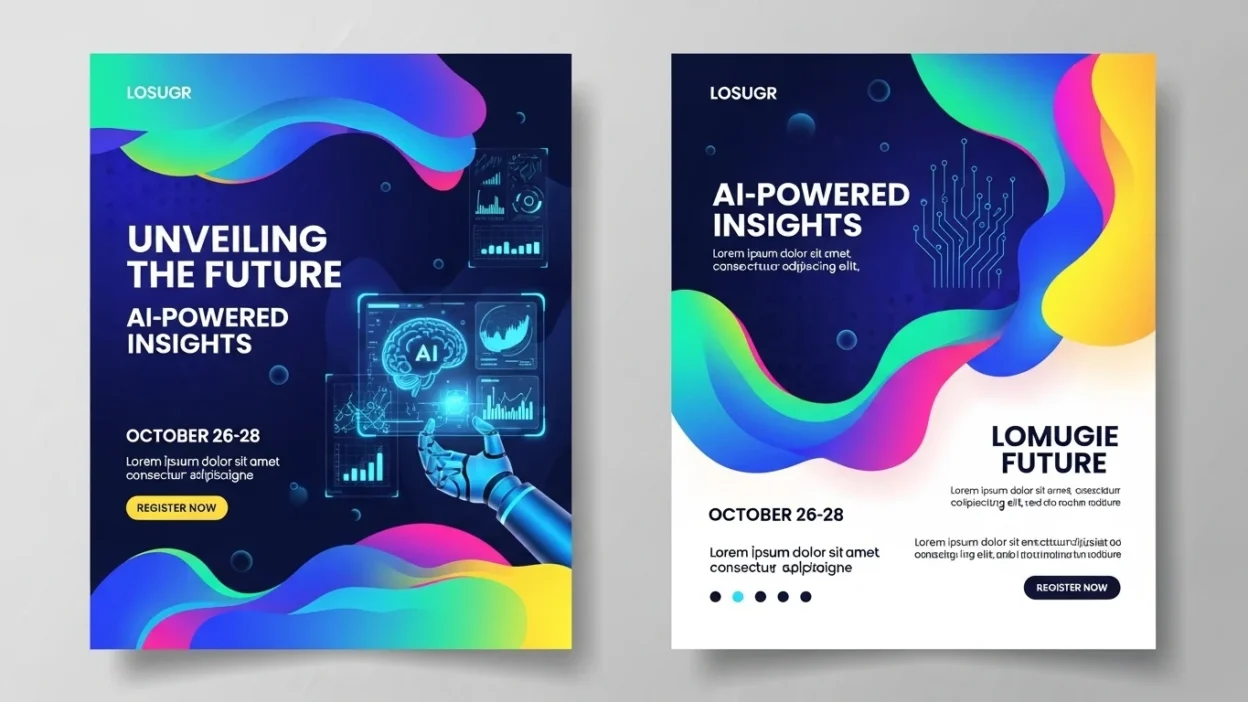
Designing an impressive flyer used to require hours of work and expensive software. Today, AI flyer generator free tools have completely transformed the game. Whether you’re marketing a business, hosting an event, or promoting on social media, AI powered tools let you design professional flyers quickly, often for free.
This guide dives deep into the best free AI flyer maker tools, explains their features, and provides tips to create eye-catching flyers that get results.
What is an AI Flyer Generator?
An AI flyer generator is a software application that uses artificial intelligence to automatically create flyer designs. Instead of manually arranging text, images, and graphics, AI analyzes content and suggests layouts, colors, fonts, and templates.
These tools combine automated design, customizable templates, and AI-driven content suggestions to deliver professional-quality results. Unlike traditional design software, AI flyer creators require minimal technical skills and can produce polished designs in minutes.
For example, a free AI flyer creator can generate multiple flyer variations based on a single input, helping businesses or individuals find the best design without trial and error.
Key Features to Look for in a Free AI Flyer Maker
Not all AI flyer tools are equal. When choosing an AI flyer design tool free, look for these features:
- Automated Design Suggestions: AI recommends layouts, font pairings, and color schemes.
- Customizable Templates: Ready-made templates for events, promotions, and social media posts.
- User-Friendly Editing: Drag-and-drop functionality makes customizing flyers easy.
- Social Media Optimization: Templates and sizes specifically for Instagram, Facebook, or LinkedIn.
- Export Options: Ability to download as PDF, PNG, or JPEG for print or digital use.
- Completely Free Access: Look for tools that offer full features without requiring a subscription.
Top Free AI Flyer Generators in 2026
The market has several excellent AI poster generator free tools. Here’s a comparison of the top options:
| Tool Name | Features | Pros | Cons | Best Use Case |
|---|---|---|---|---|
| Canva AI Flyer Maker | AI-powered templates, drag-and-drop editor, social media optimization | Easy to use, versatile templates | Free version limits some designs | Marketing flyers & social media |
| Designify | AI layout suggestions, automatic image enhancement | Fast results | Limited font options | Event & promotional flyers |
| Visme AI Flyer Creator | Customizable templates, AI content suggestions | Professional-quality output | Some features behind subscription | Business branding materials |
| PosterMyWall AI | AI flyer editor free online, ready-to-print templates | Great for digital and print | Watermark on free downloads | Event promotions & posters |
| Crello AI Flyer Maker | AI social media flyer maker free, animated templates | Easy animation for online campaigns | Limited stock photos | Social media campaigns |
Pro Tip: Even free AI tools can produce highly professional flyers, saving you hours compared to manual design.
Step-by-Step Guide to Creating a Flyer Using Free AI Tools
Creating a flyer with AI is easy. Follow these steps:
- Select a Free AI Flyer Creator: Pick a tool like Canva, Visme, or PosterMyWall.
- Choose a Template or Start from Scratch: Templates speed up design, but customization is key.
- Customize Text, Colors, and Images: Match your brand or event theme.
- Use AI Suggestions: Let AI help with layout, font pairing, and content placement.
- Preview and Download: Export as PDF, PNG, or JPEG. Some tools allow direct posting to social media.
This process ensures your flyer is visually appealing and optimized for engagement.
Tips for Designing Effective Flyers with AI
Even the smartest AI benefits from human insight. Keep these tips in mind:
- Keep Text Short and Clear: Flyers should be easy to scan.
- Balance Visuals and Text: Make sure images and text complement each other.
- Leverage AI Content Generator for Flyers: Let AI suggest catchy headlines and body text.
- Platform-Specific Designs: Adjust sizes and layouts for social media vs print.
- Personalize Templates: Avoid generic designs by customizing colors, fonts, and images.
For instance, for a summer event flyer, AI might suggest bold colors. Adjust the font sizes and spacing to make key information stand out.
Benefits of Using AI Flyer Design Software Free
Using a free AI flyer generator offers multiple advantages:
- Saves Time: Generate professional flyers in minutes.
- Cost-Effective: No need for paid software or freelance designers.
- Professional Designs: AI layouts ensure visually appealing flyers.
- Consistency Across Campaigns: Maintain a uniform look for branding.
- Rapid Iteration: Quickly create multiple versions for testing or different audiences.
Fact: Small businesses and startups often save up to 10 hours per week by using AI flyer tools for marketing campaigns.
AI Flyer Generator Use Cases
AI flyer generators are versatile. Some common use cases include:
- Marketing Campaigns: Promotional flyers, email headers, and online ads.
- Events and Parties: Event invitations, concert flyers, and community announcements.
- Social Media Promotion: Instagram, Facebook, and LinkedIn visuals.
- Small Businesses: Branding consistency across multiple marketing materials.
Example: A local bakery used an AI flyer generator to design Instagram-ready promotional flyers for weekly specials, increasing online engagement by 35%.
Common Challenges and How to Overcome Them
While AI flyer tools are powerful, you may encounter:
- Limited Free Features: Some templates or export options may require a subscription.
- Overused Templates: Customize AI suggestions to avoid generic looks.
- Content Relevance: AI-generated text may need human editing for brand tone.
- File Formats: Free versions sometimes limit high-resolution exports; plan ahead for print vs digital use.
Overcoming these challenges ensures your flyers remain unique and professional.
Future of AI Flyer Design
The future of AI flyer software free is exciting:
- Interactive Flyers: AI may soon generate dynamic, clickable digital flyers.
- Real-Time Content Updates: Automatically refresh event details or offers.
- Advanced Personalization: AI could tailor designs for specific audiences using analytics.
- Marketing Automation Integration: Connect AI flyer tools directly with social media and email campaigns for seamless promotion.
AI will continue to streamline design workflows, making professional flyers accessible to everyone.
Conclusion
AI flyer generator free tools have transformed how businesses, creators, and individuals approach flyer design. They save time, reduce costs, and deliver professional results with minimal effort. By using the best tools, following design tips, and customizing templates, you can create visually appealing flyers that engage audiences and boost marketing efforts.
Whether for social media, events, or marketing campaigns, AI-powered flyer tools are now an essential part of modern design workflows. Start experimenting today and see how AI can elevate your flyer design instantly.

Sarah Parker is a creative writer at wishesfuel.com, crafting heartfelt, modern, and viral-style wishes that inspire readers to celebrate moments with joy, emotion, and meaningful expression every day in life.